
AI Fashion
How to Use Virtual Try-On With Clothes You Already Own
Use virtual try-on to compare two styling directions from garments you already own. Ignore fit claims, then put the winner on your body.
In this guide
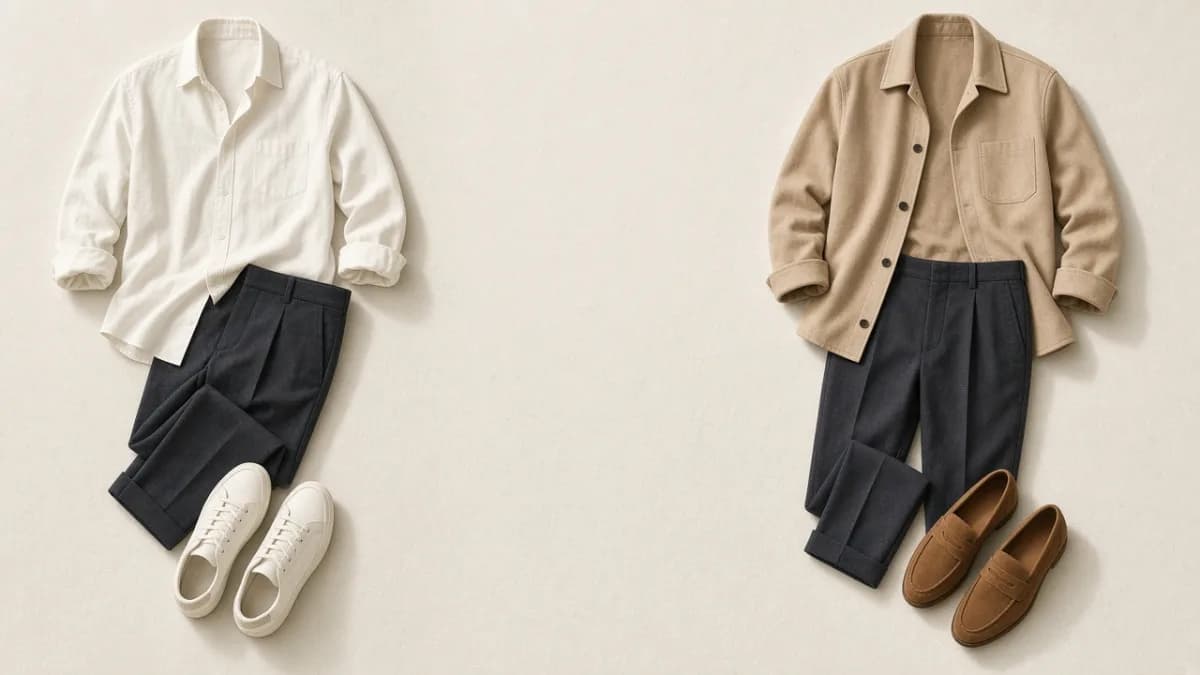
Virtual try-on is most useful when you already own the clothes and cannot be bothered to get dressed twice. The job is to compare directions — this layer or that one, casual shoes or tidy ones — before you commit to putting them on.
It is not a fitting room. If you need the mechanism and the failure modes, read how AI virtual try-on works. This guide is about when to use it on a wardrobe you already have.
Start with a real outfit question
Try-on helps when two options are both plausible. It wastes time when you have not chosen any clothes yet.
Good questions:
- Does the sand jacket make this office outfit feel more finished than the open shirt?
- Does this dress look too formal next to the knit and trousers I was also considering?
- If I keep these navy trousers, do I prefer the white tee or the striped shirt on me, not on the hanger?
Poor questions:
- Will this size fit?
- Should I buy this from a screenshot?
- Can I skip trying the clothes on altogether?
Creating outfits from clothes you already own should come first. Try-on is a comparison step, not a replacement for choosing an anchor.
Use your own garments as the reference
The preview can only be as honest as the clothing you give it. A photo of the actual jacket in your closet is a better reference than a memory of it, and better than a random picture of a similar jacket.
That is why a digital wardrobe pairs naturally with try-on: you already have item photos to select. If those photos are dark or cropped, photograph the garment so the whole piece is visible before you judge the preview.
In Fashion Frame, choose the clothing and a person photo in the Try-on surface. Treat the result as a styling sketch of those pieces, not as a photograph of you wearing them.
Compare two directions, then stop
Generate a preview for option A and option B, then make a choice. If you keep requesting variations, you are no longer deciding; you are collecting pictures.
A simple loop:
- Pick the outfit's anchor (the trousers, the dress, the shoes you must wear).
- Choose two alternatives for the one thing you are unsure about.
- Preview both.
- Put the winner on your body.
If both previews look similar, the difference may not matter. Wear whichever is more comfortable.
What to ignore in the image
Generated pictures invent or drop details. Ignore anything you would not bet on:
- Exact hem length and waist placement
- How structured or slouchy the fabric will feel
- Logos, hardware, and small pattern repeats
- Whether sleeves will actually push up the way they do in the image
Use the preview for silhouette, color relationship, and formality. Confirm everything else in the mirror.
The same caution applies to AI stylist recommendations: a suggested combination can be previewed, then still be rejected because the waistband does not feel right.
When not to bother
Skip try-on when you already know the outfit works, when the clothes are in the wash, or when the only question is physical comfort. Also skip it when you do not have a person photo you are willing to use; do not upload someone else.
Review the privacy policy before you add a personal photo. Choose an image with even light and space for the clothing, then reuse it rather than creating a new one for every experiment.
After you choose
If the preview helped, put the clothes on and keep or drop the look based on movement and temperature. Save combinations that survive that check in Looks so you are not generating the same comparison next week.
Virtual try-on can shorten the path from “these two options” to “this one.” It cannot tell you that you will like wearing it.
Frequently asked questions
Can I virtually try on clothes I already own?
Yes, if you have a photo of the garment and a person photo you are comfortable using. That is a different use from trying on products you might buy.
Will it show me how the clothes fit?
No. Fit is physical. Use the preview to compare styling directions, then try the real garments on.
How is this different from just holding clothes up in the mirror?
Holding clothes up is faster when the pieces are already in your hands. Try-on is more useful when the items are not together yet, or when you want to compare two complete directions without getting dressed twice.
Put the guide into practice
Start with your own wardrobe.
Preview a styling direction with your selected clothing and a clear photo.
Try Fashion FrameContinue reading
AI Fashion
How AI Virtual Try-On Works
AI virtual try-on creates a styling preview from a person photo and selected clothing. Learn what the image can show and what still needs a real fitting.
Outfit Ideas
How to Create Outfits From Clothes You Already Own
When you have plenty of clothes but nothing feels right, start with one anchor piece. This method turns individual garments into repeatable outfits.
Wardrobe
What Is a Digital Wardrobe?
A digital wardrobe is a visual record of the clothes you own. Here is what belongs in one, how to start small, and how it helps you get dressed.